Hyphens vs. Underscores in URLs: Which Is Better for SEO?
Should you separate words in a URL with hyphens or underscores? Here's what Google actually says, why it matters for SEO, and the simple rule to follow.
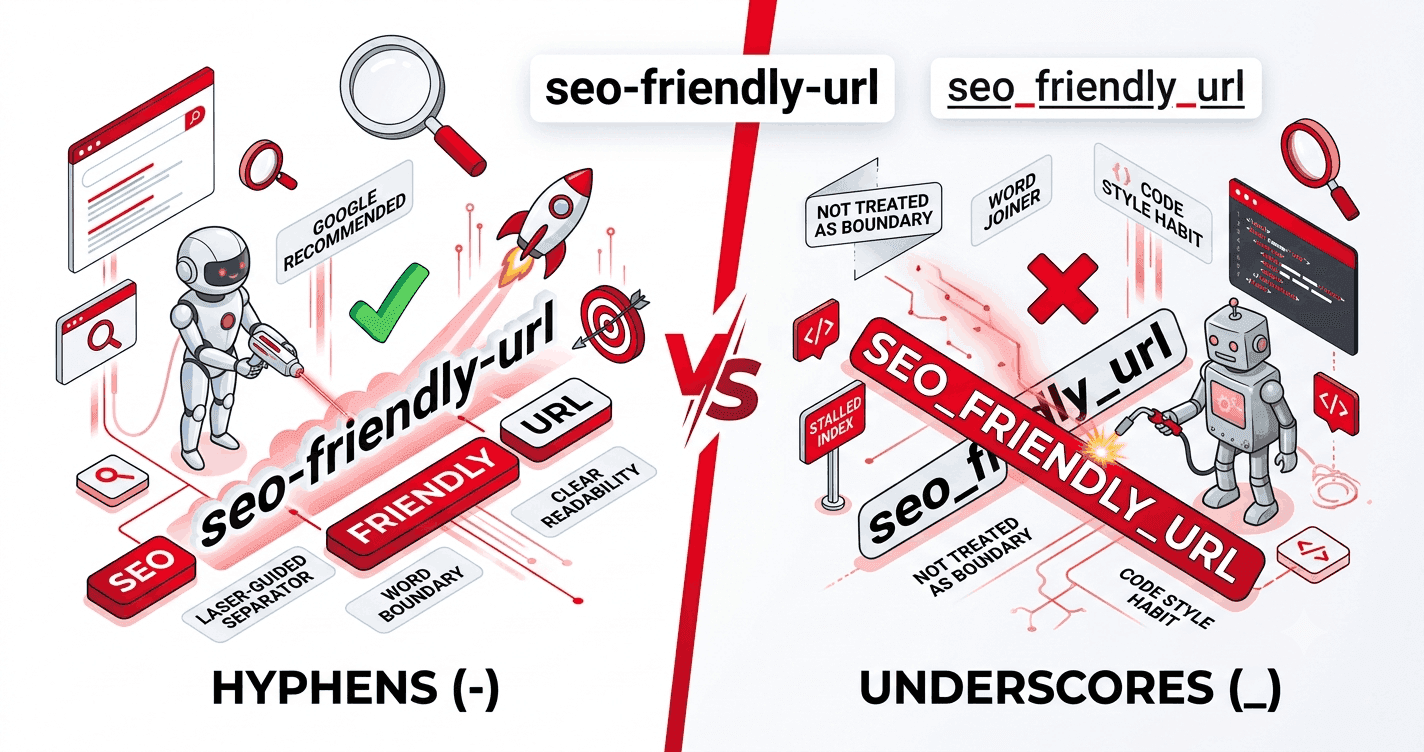
It's one of the oldest debates in web publishing: when you separate words in a URL, should you use a hyphen (-) or an underscore (_)? The answer matters more than it looks, because search engines treat the two characters very differently.
Here's the short version, followed by the reasoning and the edge cases.
The short answer
Use hyphens. Google recommends hyphens to separate words in URLs, and treats them as word boundaries. Underscores are treated as joiners, which can merge your words into a single, less searchable term.
Recommended:  /seo-friendly-url
Avoid:        /seo_friendly_url
If you remember nothing else, remember that.
Why Google prefers hyphens
Search engines need to break a URL into individual words to understand it. The character you choose decides how that split happens.
- With a hyphen,
seo-friendly-urlis parsed as three separate words: seo, friendly, url. - With an underscore,
seo_friendly_urlcan be parsed as one word: seo_friendly_url.
Google's own guidance has been consistent for years: hyphens are the recommended separator, and underscores are not treated the same way. The practical effect is that hyphenated words are more likely to be matched against search queries for those individual terms.
Where the underscore convention came from
Underscores aren't "wrong" everywhere — they come from programming. In most languages you can't put a hyphen in a variable name (my-variable would be read as subtraction), so developers use my_variable. That habit naturally spilled over into file names and, early on, URLs.
But a URL slug is not a variable. It's content meant to be read by people and crawlers, so the conventions of code don't apply. This is exactly why slugs and code identifiers should be generated with different rules.
What about readability?
Both are readable, but hyphens have a small edge:
- Hyphens sit on the text baseline, so words stay visually separated even when a URL is underlined as a link (which is most of the time).
- Underscores can disappear underneath a link's underline, making
seo_friendly_urllook likeseo friendly urlwith a gap — or worse, one solid blur.
For a character whose whole job is to separate words, that's a meaningful difference.
Quick comparison
Hyphen - |
Underscore _ |
|
|---|---|---|
| Treated as word separator by Google | Yes | No (joiner) |
| Recommended for URL slugs | Yes | No |
| Common in code/filenames | Sometimes | Yes |
| Visible under a link underline | Yes | Often hidden |
So should you ever use underscores?
A few legitimate cases:
- Legacy systems that already generate underscore URLs, where changing them (and redirecting) would cost more than it's worth.
- Internal identifiers, file names, or database keys that aren't public-facing content.
If you're starting fresh and the URL is meant to be seen and ranked, choose hyphens.
What about other separators?
- Spaces become
%20in URLs — unreadable and to be avoided. - camelCase (
seoFriendlyUrl) keeps words joined and loses lowercase consistency. - No separator (
seofriendlyurl) is hard to read and ambiguous.
Hyphens win on every count for public URLs.
The bottom line
For SEO and readability, hyphens are the clear choice for separating words in a URL slug. Reserve underscores for code, file names, and legacy systems you can't easily change.
Slugme.io defaults to hyphens, exactly as recommended — but if a particular system forces your hand, you can switch the separator to an underscore in one click. New to slugs? Begin with what a URL slug is, or browse the full best-practices checklist.