URL Slugs for E-commerce: Product & Category Best Practices
How to structure URL slugs for online stores: product pages, categories, variants, and the mistakes that hurt e-commerce SEO. A practical guide.
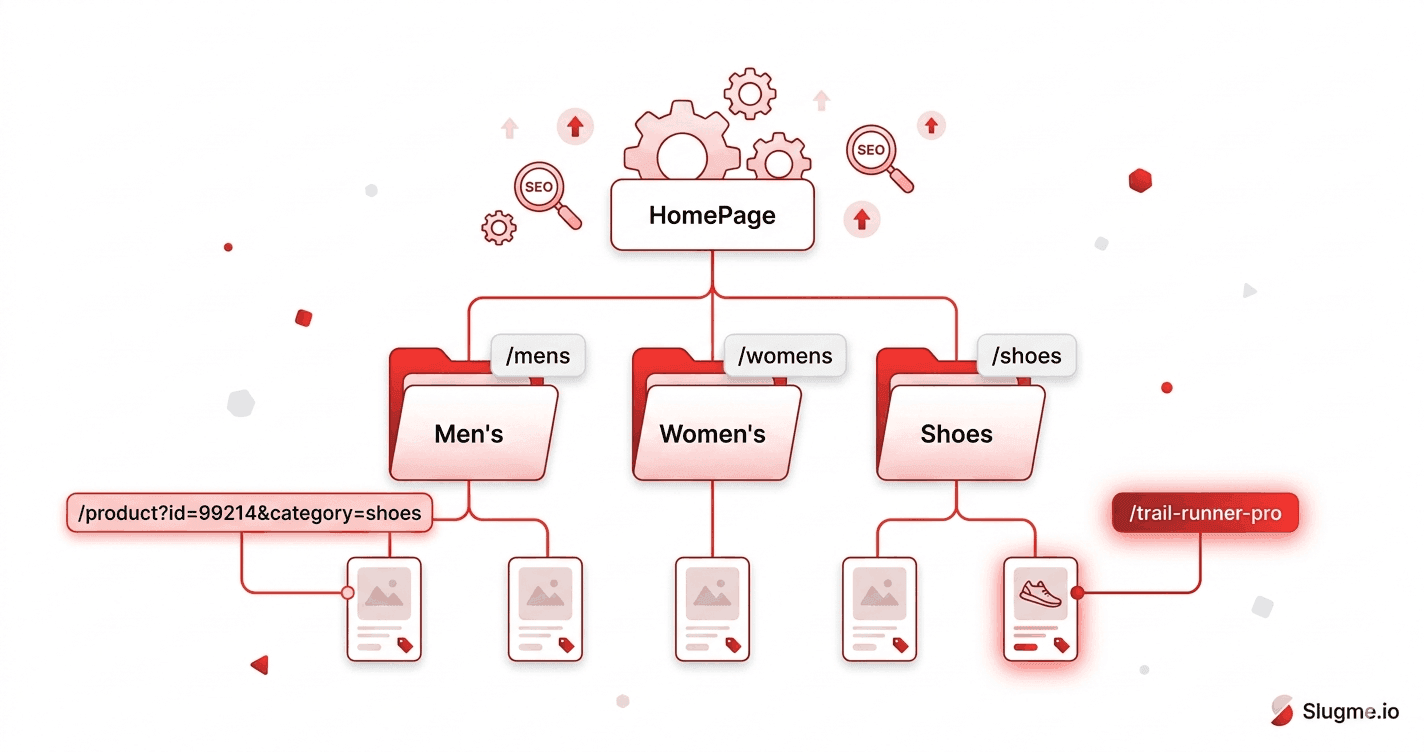
Online stores have a URL problem most blogs don't: thousands of pages, frequent product changes, variants, filters, and categories that shift over time. A messy URL strategy at that scale compounds fast. Here's how to build clean, durable slugs for an e-commerce site.
Why slugs matter even more in e-commerce
A store can have tens of thousands of URLs. When each one is a ?id= parameter, you end up with pages that are hard to read, hard to share, and easy for search engines to mishandle. Clean, descriptive slugs help every product and category page earn its own relevance.
Weak:    /product?id=99214&ref=cat7
Strong:  /running-shoes/trail-runner-pro
Product page slugs
Use the product name, not the SKU
Customers search for "trail running shoes," not "SKU-99214." Base the slug on the product name:
Trail Runner Pro (Men's) → /trail-runner-pro
Keep it to the essential product name. Brand and key descriptor are usually enough.
Don't bury the keyword in IDs
If your platform forces an ID, keep it out of the readable part where possible, or at least put the descriptive words first:
Avoid:  /p/99214-trail-runner-pro
Better: /trail-runner-pro
Handle variants carefully
Color and size variants usually shouldn't each get their own indexable URL with near-identical content — that creates duplication. Use one canonical product URL and handle variants with parameters or on-page selectors, pointing the canonical tag back to the main product page.
Category page slugs
Categories are some of your most valuable SEO pages — they target broad, high-volume terms. Keep them clean and keyword-aligned:
/mens/running-shoes
/kitchen/cookware/non-stick-pans
Mirror your site navigation so the URL structure matches how people browse. (See SEO URL structure.)
Keep category depth shallow
Avoid stacking five folders deep. Two or three levels is plenty:
Too deep:  /shop/departments/footwear/athletic/running/mens/shoes
Better:    /mens/running-shoes
The big e-commerce pitfalls
1. Faceted navigation chaos
Filters (color, size, price, brand) can generate endless parameter URLs: ?color=red&size=10&sort=price. Left unchecked, these flood the index with thin, duplicate pages. Use canonical tags, robots rules, or parameter handling to keep filter URLs out of the index.
2. Changing slugs when products are renamed
Rename a product and its slug changes — breaking links and rankings. Always add a 301 redirect from the old product URL to the new one.
3. Out-of-stock and discontinued products
Don't just delete the page (and serve a 404). If a product is gone for good, 301-redirect it to the closest category or replacement. If it's temporary, keep the page live.
4. Special characters in product names
Product names love symbols: "Café Noir 100% Arabica." Those break slugs unless cleaned. (See special characters in URLs.)
Café Noir 100% Arabica → /cafe-noir-arabica
A clean e-commerce URL blueprint
/                              → homepage
/<category>                    → top-level category
/<category>/<subcategory>      → subcategory
/<product-slug>                → product page (or /<category>/<product-slug>)
Shallow, descriptive, and consistent across the whole catalog.
The takeaway
For e-commerce, base slugs on real product and category names, keep depth shallow, control faceted-navigation URLs, and always redirect renamed or removed products. At catalog scale, generating clean slugs consistently is what keeps the whole site tidy — create one in a click whenever you add a product or category, and apply the same best practices every time.