Special Characters in URLs: What to Avoid and Why
Spaces, ampersands, emoji, accents — special characters break or uglify URLs. Learn which characters are safe, which to avoid, and how to clean them up.
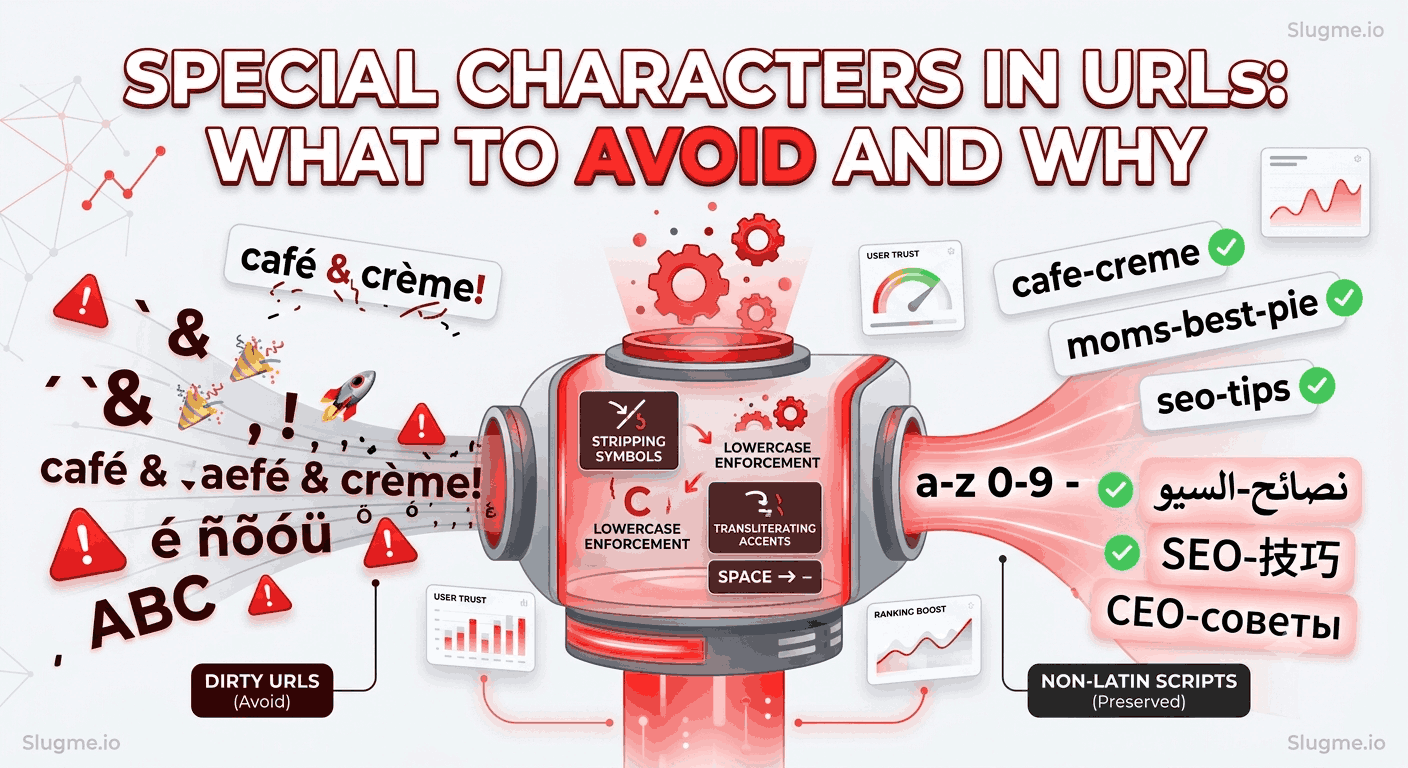
Type a space, an ampersand, or an emoji into a URL and something ugly happens: it either gets encoded into %-codes or breaks the link entirely. Understanding which characters are safe — and which to strip — keeps your URLs clean and reliable.
Why some characters are a problem
URLs were designed to use a limited, safe set of characters. Anything outside that set has to be percent-encoded into codes like %20 (a space) or %26 (an ampersand). The browser still works, but the URL becomes unreadable:
You wrote:   /café & crème
Browser sees: /caf%C3%A9%20%26%20cr%C3%A8me
That string is impossible to read, hard to share, and looks broken in a search snippet.
Characters that are safe in a slug
For URL slugs, stick to this minimal, reliable set:
- Lowercase letters
a–z - Numbers
0–9 - Hyphens
-(as word separators)
That's it. This "alphanumeric + hyphen" set works everywhere, never needs encoding, and reads cleanly.
Characters to avoid (and what to do instead)
| Character | Problem | Fix |
|---|---|---|
| Space | Becomes %20 |
Replace with a hyphen |
& = ? |
Reserved for query strings | Remove from the slug |
! ' " , . |
Punctuation clutter | Remove |
@ # $ % |
Reserved or encoded | Remove |
| Emoji 🎉 | Encoded into long % strings |
Remove |
| Accented letters (é, ñ) | Encoded unless transliterated | Convert to base letters |
| Uppercase | Case-sensitivity issues | Lowercase everything |
Spaces → hyphens
Never leave spaces in a slug. Replace them with hyphens, which search engines read as word separators. (See hyphens vs. underscores.)
Punctuation and symbols → removed
Apostrophes, exclamation marks, ampersands, and the rest add nothing to a URL and often break it. Strip them.
Mom's "Best" Pie & Cake Recipes! → /moms-best-pie-cake-recipes
Accents → base letters
Accented characters get percent-encoded into noise. Convert them to their plain form (é → e, ñ → n) so the slug stays readable. (See URL slugs for non-Latin languages.)
A special note on non-Latin scripts
There's an important exception. While accented Latin letters should be transliterated, fully non-Latin scripts like Arabic, Chinese, or Cyrillic can be used directly in modern URLs (these are called IRIs). An Arabic slug like /نصائح-السيو is valid and meaningful to Arabic readers — it shouldn't be transliterated into guesswork. The rule is: transliterate accents, but preserve real non-Latin scripts.
How to clean special characters automatically
Manually catching every symbol, accent, and stray space is tedious and easy to get wrong. A URL slug generator handles it in one pass: it lowercases, converts accents, removes punctuation and symbols, and swaps spaces for hyphens — while keeping legitimate non-Latin scripts intact.
The takeaway
Keep slugs to lowercase letters, numbers, and hyphens. Replace spaces with hyphens, strip punctuation and symbols, and convert accented letters to their base form — but preserve genuine non-Latin scripts. Clean characters mean readable, shareable, unbreakable URLs.
For the complete picture, see the SEO slug best practices.