Trailing Slashes in URLs: Do They Matter for SEO?
Should your URLs end with a slash or not? Learn what trailing slashes do, whether they affect SEO, and why consistency matters more than the choice itself.
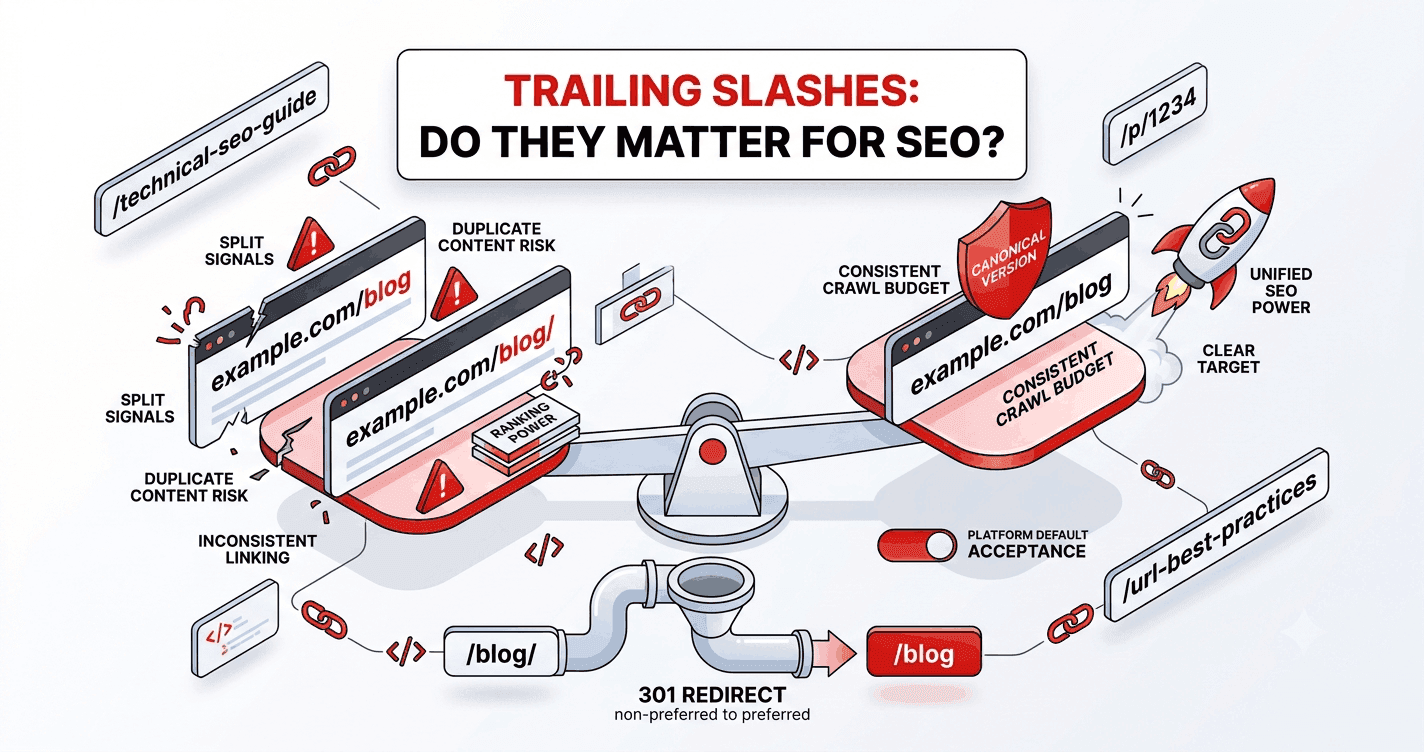
example.com/blog or example.com/blog/? The trailing slash is one of those tiny URL details that triggers surprisingly long debates. Here's what it actually does, whether it affects SEO, and the one rule that matters.
What is a trailing slash?
A trailing slash is the / at the very end of a URL:
Without:  https://example.com/blog
With:     https://example.com/blog/
Historically, a trailing slash indicated a directory (folder), while no slash indicated a file. On the modern web, that distinction has largely faded — both forms usually serve a page just fine.
Do search engines treat them as different URLs?
Here's the key point: to a search engine, /blog and /blog/ can be two different URLs. The domain is case- and slash-insensitive, but the path is not. If both versions load the same content, you've potentially created duplicate content — two addresses showing the same page.
That's the real issue. The slash itself is neutral; serving the same page at both versions is the problem.
Does it affect SEO?
Indirectly, yes — through duplication:
- If both
/blogand/blog/are reachable and indexable, ranking signals can split between them. - Inconsistent internal linking (some links with the slash, some without) wastes crawl budget on redirects and dilutes authority.
But the slash itself is not a ranking factor. Google doesn't prefer one style. What matters is that you pick one and apply it consistently.
The one rule: be consistent
Choose a convention and enforce it site-wide:
- Pick a style — with or without trailing slashes. Many static-site setups default to one; follow your platform's default to avoid fighting it.
- 301-redirect the other version to your chosen one. If you use no-slash URLs, redirect
/blog/→/blog(or vice versa). - Link internally in the canonical style so you're not relying on redirects for your own links.
- Set a canonical tag pointing to the preferred version as a safety net.
Do this and the duplicate-content risk disappears.
What most platforms do
- Many static hosts (and frameworks that prerender) default to one style and auto-redirect the other — check your build config.
- WordPress typically uses trailing slashes on pages and categories.
- Some CDNs let you enforce a slash policy at the edge.
The best move is usually to accept your platform's default rather than override it, then make sure the non-preferred version redirects.
Does this apply to the homepage?
The root domain (https://example.com/) always has a trailing slash by definition, and that's fine — it's the one place a trailing slash is standard and unavoidable. The decision only really concerns deeper paths.
The takeaway
Trailing slashes don't help or hurt SEO on their own — but serving the same page at both /blog and /blog/ creates duplicate content. Pick one style, redirect the other, link consistently, and set a canonical. Consistency is the whole game.
While you're tidying URLs, make sure each slug itself is clean too — generate one in a click and review the full best-practices checklist.