Blog Post URL Best Practices: A Checklist for Writers
Every blog post needs a clean URL. This checklist covers how to write blog post slugs that rank, read well, and stay durable — built for writers and editors.
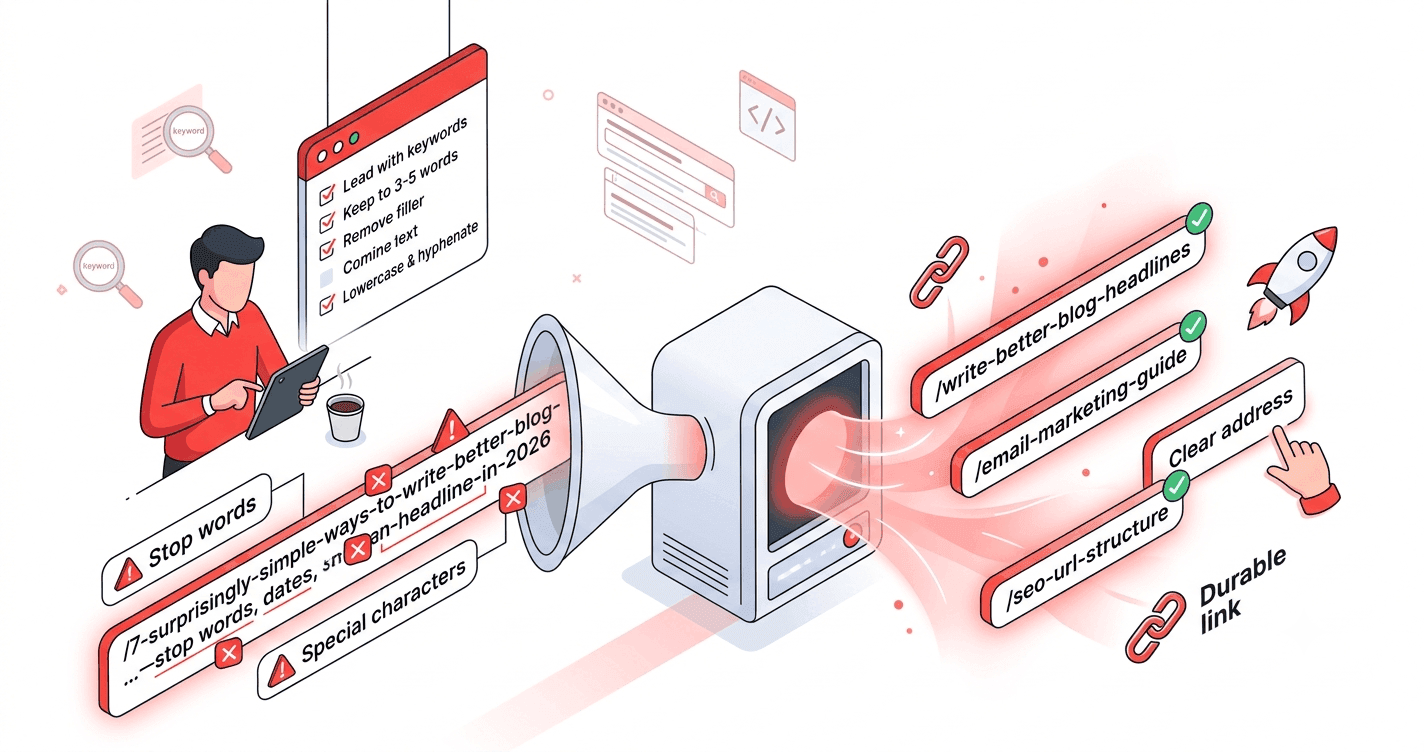
Writers obsess over headlines and forget the URL — yet the slug is the one part of a post that's hard to change later and visible in every search result. This checklist gives writers and editors a simple, repeatable way to ship blog post URLs that rank well and read well.
Why blog URLs deserve attention
A blog post URL does three jobs at once: it's a ranking signal, a snippet of user interface in the search result, and a permanent address other sites will link to. Sloppy slugs undercut all three — and fixing them later means redirects.
The blog post URL checklist
1. Don't just use the auto-generated slug
Most CMSs build the slug from your full headline, keeping every word. That's almost always too long. Treat the auto-slug as a starting point, not the final answer.
Headline:  "7 Surprisingly Simple Ways to Write Better Blog Headlines in 2026"
Auto-slug: /7-surprisingly-simple-ways-to-write-better-blog-headlines-in-2026
Better:    /write-better-blog-headlines
2. Lead with the keyword, not the hook
Headlines use curiosity and numbers to earn clicks. URLs should be plain and descriptive. Strip the hook words (surprisingly, simple, amazing) and keep the core topic.
3. Keep it to 3–5 words
Short slugs read better and don't get truncated in search results. (See ideal slug length.)
4. Remove the filler
Drop stop words and the year unless the date is essential to the post.
/the-ultimate-guide-to-email-marketing-for-2026 → /email-marketing-guide
5. Lowercase and hyphenate
Always lowercase, always hyphens between words — never underscores or spaces. (See hyphens vs. underscores.)
6. Strip special characters
Apostrophes, exclamation marks, and symbols from your headline don't belong in the slug. Convert accents to base letters. (See special characters in URLs.)
7. Set the slug before you publish
This is the big one for writers. Editing a slug after publishing breaks links and rankings unless you add a redirect. Lock in a clean slug at draft stage.
8. Keep your blog structure consistent
Decide whether posts live at /blog/<slug> or /<slug> and stick with it for every post. Consistency helps readers and search engines. (See SEO URL structure.)
9. Make it match the topic, not the publish date
A slug like /q3-update or /march-post dates instantly. Describe the content so the URL stays evergreen.
10. Avoid duplicate or near-identical slugs
If you write multiple posts on similar topics, differentiate the slugs clearly (/email-subject-lines vs. /email-newsletter-design) rather than /email-tips-2 and /email-tips-3.
A writer's 30-second workflow
- Write your headline.
- Pull out the 3–5 core keywords.
- Generate a clean slug from that core phrase.
- Paste it into your CMS before hitting publish.
That's it — a durable, search-friendly URL in well under a minute.
The takeaway
Great blog URLs are short, lowercase, hyphenated, keyword-led, and locked in before publishing. Don't trust the auto-slug; trim it down to the essentials and keep your structure consistent across the blog.
Make it effortless: paste your headline into the URL slug generator and copy a clean blog slug in one click.